What does Your Computer Lady do?
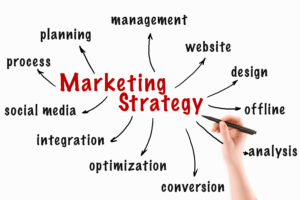
Marketing Consulting

Your Computer Lady On Call

YCL Digital Organizer

Email
Marketing

Website
Design
Website Maintenance

WordPress Site Maintenance

Video Creation

Social Media Support
Your Computer Lady has grown and changed in its 20+ years in business. Pamela Bir, President, gets it! As a small business owner, she understands wearing multiple hats, working “on” your business, not in it, sticking to a budget.
The marketing system we have developed works to focus your efforts. We use each effort you make multiple times in multiple ways.
We measure the results of every effort!
#1 - A Profit Center Website
Your website needs to be the hub of all of your marketing efforts. And your website should be a profit center for you.
Maybe you don’t sell products but you should be “selling” your expertise in a profitable way. Forget “brochure” websites that sit in cyberspace accomplishing nothing.
#2 - Email Marketing
Take your message to your target audience. Email marketing is still offers one of the highest returns on your investment. Educate your audience. Become the expert. Build community.
#3 - Social Media Presence
Social media is as necessary today as a business card or business phone. You can’t ignore it. You can control your investments of time and money.